Down with the Downtime
Agile Moodle Updates
with Docker and GitLab CI
Niels Gandraß
mail Niels.Gandrass@haw-hamburg.de
globe https://gandrass.de
Annual Conference of the Moodle an Hochschulen e.V.
Rosenheim Technical University of Applied Sciences
2026-03-03
A World Before Containers
How we were doing it back in the days and why we are doing it differently now
Roughly 10 years ago ...
The platform was a small project and not yet widely used by university members


The "How not to do it" List
- Moodle source code was deployed to the server only once at the beginning
- Everyone just pushed via SFTP to the server
- Plugin updates were manually uploaded to the respective plugin folders
- Moodle core updates where simply pushed on top of everything
- Just hit "override existing files" — It'll be fine ... 🔥
- Deleted or renamed files remained on the server indefinitely
- Each service (web server, database, ...) was installed and updated manually
- All applications had to share the same PHP and DB versions
- No proper change management
- Updates required long downtimes due to manual actions and testing
Moving in the right direction
The platform grew but we were still far from todays usage numbers
Nonetheless we needed to address many of the previously discussed problems
Remaining challenges
We now had multiple growing Moodle deployments, creating a lot of maintenance work for us
- Updates still require a lot of manual interaction
- Long downtimes must be scheduled and quick changes were impossible
- Data and software versions on the servers may be different
- No reliable way of testing code changes locally
- Applying tested and staged changes to production was still cumbersome
-
Various security implications
-
For more details on securing your Moodle platforms see:
docs Niels Gandraß, Philipp Kropp, Alexander Bias:
Securing Moodle — A brief introduction to web application security
and low-hanging fruits anyone should harvest
-
For more details on securing your Moodle platforms see:
We are from Hamburg ...
so there is an obvious solution!
 Containers
🐋
Containers
🐋
Disclaimer
We do not have the time to show you each and every custom shell script or Dockerfile we created, but we will walk you through the whole architecture so that you know where to start when you want to do this yourself!
Clean and Flexible Moodle
Deployments with Docker
Moving everything into containers for ease of use and flexibility with re-use in mind
Moving everything into containers
Moodle, plugin, and software updates were still manual and this needed to change
- Creation of Dockerfiles for all our existing services
- Transferring the whole component management and software config to code
- Migration of all local development environments to new Docker stack
- Creation of custom scripts for backup and restore
- App optimizations for container deployment
- Replacement of existing manual VM-based deployments with Docker stacks
This resulted in the following application stack ...
Architecture of our Moodle stack


Managing Moodle and plugin versions
- Moodle core and all plugin versions are managed inside an
.envfile - The full Moodle source tree is automatically generated during the Docker build stage
- Combination of Moodle and plugins is manifested in versioned Docker images
                                    # vvvvv MOODLE_405_STABLE, release 4.5.9 vvvvv
                                    MOODLE_GIT_HEAD=6b4d33a98f43ac19f1a37952467c8fbc722d0bdb

                                    MOODLE_PLUGIN_QTYPE_STACK_GIT_HEAD=tags/v4.11.1
                                    MOODLE_PLUGIN_QUIZ_ARCHIVER_GIT_HEAD=tags/v3.2.0
                                    MOODLE_PLUGIN_THEME_BOOSTUNION_GIT_HEAD=tags/v4.5-r32
                                    MOODLE_PLUGIN_USERAUTODELETE_GIT_HEAD=tags/v1.5.0

                                    GOEMAXIMA_STACK_VERSION=2026010500
                                    GOEMAXIMA_VERSION=1.2.0
                                    QUIZ_ARCHIVE_WORKER_VERSION=3.3.9
Excerpt of an example mymoodle.env file
Managing software versions
- Software versions are defined in the same
.envfile - Effortlessly switching between different PHP / DB / ... versions
- Additional tools, e.g., XDebug, can be included in local dev builds
                                    # Selection of software versions
                                    PHP_FPM_VERSION=8.3
                                    POSTGRES_VERSION=18-alpine
                                    CLAMAV_VERSION=latest

                                    # Service-specific settings
                                    BACKUP_COMPRESS=1
                                    BACKUP_CPU_THREADS=8
                                    MOODLE_ALLOW_USER_CREATION_ON_RESTORE=false
                                    MOODLE_DATABASE_NAME=myawesomemoodle
Excerpt of an example mymoodle.env file
Tying everything together
with Docker Compose
- All available services are defined inside a
docker-compose.yml - Single services can selectively be (de-)activated using compose profiles
-
A deployment can be created using a single
docker compose upcommand- In production we use additional helper scripts to perform sanity checks
before touching a Moodle stack though
- In production we use additional helper scripts to perform sanity checks
                                    # Selection of services to run
                                    COMPOSE_PROFILES=moodle,database,redis,shibboleth-sp
Excerpt of an example mymoodle.env file
Running a small Moodle stack
This example is used for local development of the Quiz Archiver plugin
Running Multiple Moodle Platforms
Effortlessly create fully-compatible production, staging, test, and development deployments
Separation into Moodle environments
Using the same Docker stack for multiple different Moodle deployments
|
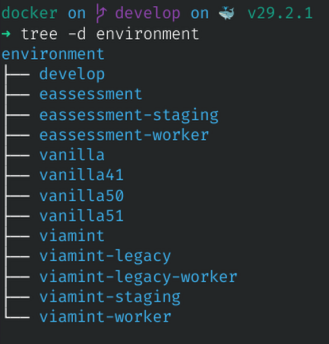 Example of multiple environments |
Automating Builds
Using GitLab CI to always have the latest container images at hand
Getting started ...
Finally letting the server do the work for us!
|
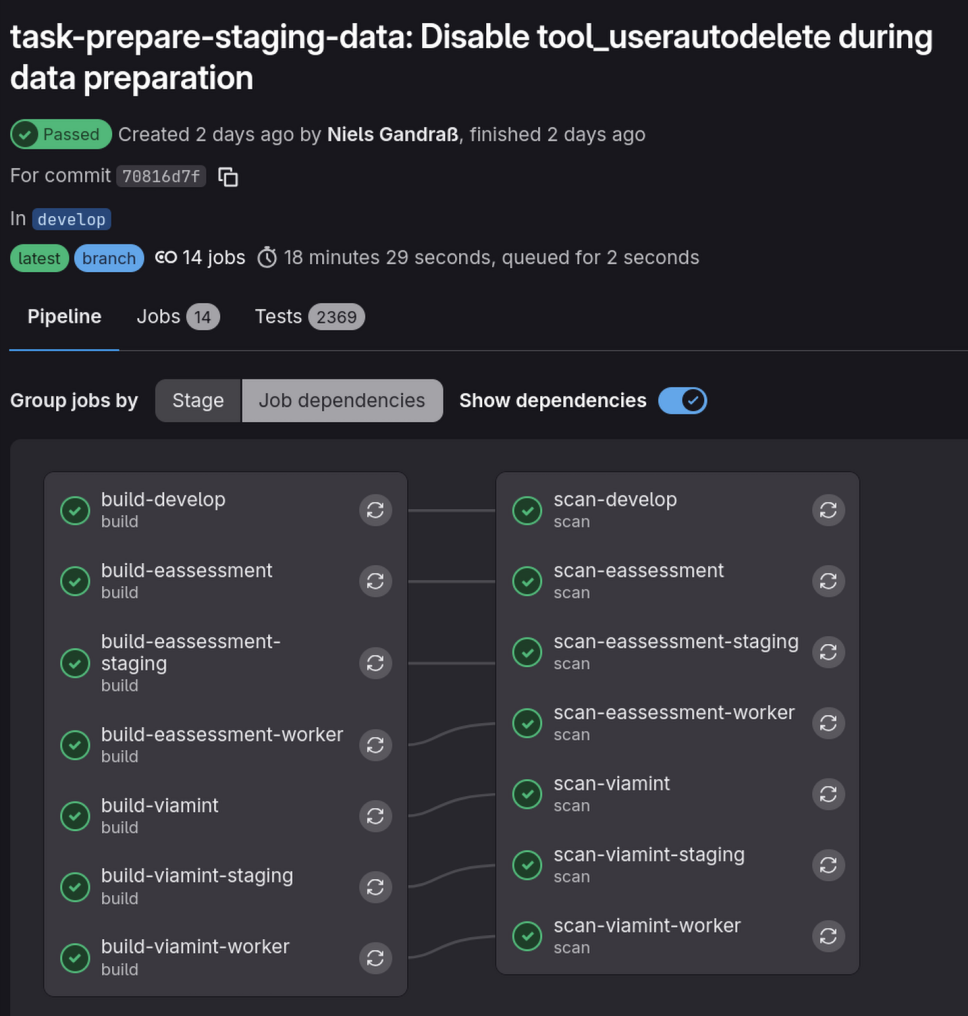 Example of a full build |
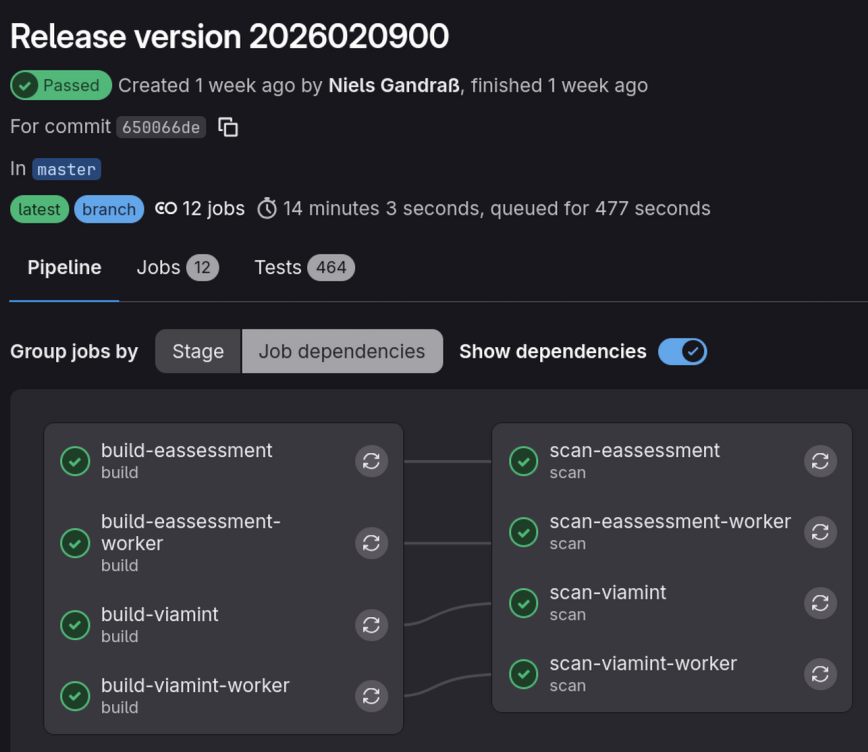
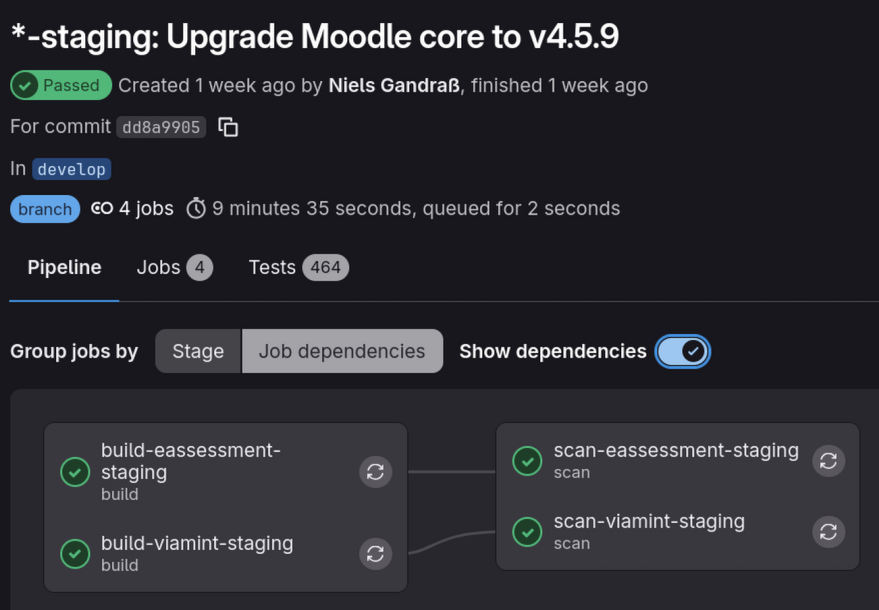
Builds are selective
Only images that faced changes are built for speedup and resource conservation
| 
|
Pre-built images via the GitLab registry
|
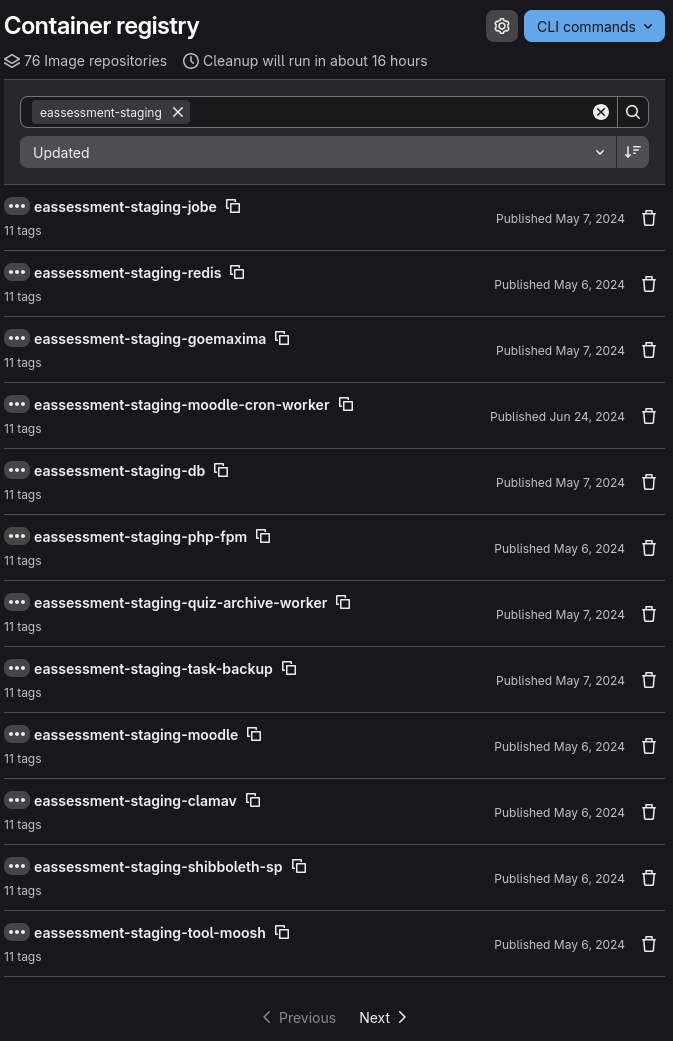 Docker images in GitLab registry |
Establishing a Release Process
Versioning your deployments, getting the code out there, and migrating Moodle
A full multi-stage release process


Getting code onto the staging systems
-
Tag a release for the component you'd like to change (if required)
$ git commit -m "My plugin release!" $ git tag v3.2.0 $ git push --tags -
Change the version inside the desired
.envfileMOODLE_PLUGIN_BLOCK_SYNTAXHELP_GIT_HEAD=tags/v2.3.2 -MOODLE_PLUGIN_MOD_QUIZ_ARCHIVER_GIT_HEAD=tags/v3.1.4 +MOODLE_PLUGIN_MOD_QUIZ_ARCHIVER_GIT_HEAD=tags/v3.2.0 MOODLE_PLUGIN_THEME_EASSESSMENT_GIT_HEAD=tags/v1.1.5 -# vvvvv MOODLE_405_STABLE, release 4.5.8+ vvvvv -MOODLE_CORE_GIT_HEAD=23ad73ee5677a0d0bf1039182a4e87868d4ccdf5 +# vvvvv MOODLE_405_STABLE, release 4.5.9 vvvvv +MOODLE_CORE_GIT_HEAD=6b4d33a98f43ac19f1a37952467c8fbc722d0bdb - Commit and push the changes. Then let CI do the heavy lifting 😎
- Pull new images and replace existing containers with new ones
- Be happy ❤️
Applying staged changes to production builds
-
Apply all staged changes to the production
.envfile (or "copy & paste")$ vim -d eassessment-staging.env eassessment.env $ git commit -m "eassessment: Apply staged changes" -
Create and push a new production release
                                        $ git commit -m "Release version 2026030200"
                                        $ git tag 2026030200
                                        $ git push --tags
Yep, that's all!
Your production build is now at the exact state of your staging build
Rolling out
$ ./pull.sh myenvironment$ ./update.sh myenvironmentThat's it 🚀
In our case, step 2 & 3 usually complete in under 60 seconds!
Summary
- Longer downtimes only required for complex updates / changes
Resources and Q&A Session
That was a lot of information in a short amount of time ...
Resources
Further information to dig deeper
Click on a link to open open_in_browser
- package_2 Docker Containers for Moodle Developers (moodlehq/moodle-docker)
- engineering Tutorial: Create and run your first GitLab CI/CD pipeline
- picture_in_picture_center Using Docker to build Docker images within GitLab CI/CD
- terminal Administrating Moodle via command line
- lan Getting started with Docker Compose
-
docs
Niels Gandraß, Philipp Kropp, Alexander Bias:
Securing Moodle — A brief introduction to web application
security and low-hanging fruits anyone should harvest
Q&A Session
Now it's time for your questions!

You can find all slides of this talk at
globe https://gandrass.de